Gmail and Outlook
Send creator emails from your own address.
Connect Gmail or Outlook to Acurrate. Review and send your creator invitations from the campaign, using the inbox you already work in.
Open Connected apps7-day free trial. Then $99/month.
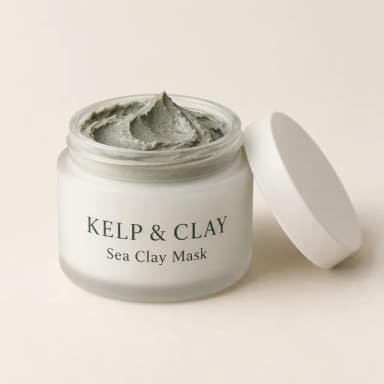
A gift for your next mask night
From Kelp & Clay to Mila
Hi Mila, we love your weekly mask nights. We’d like to send you a Sea Clay Mask to try.
Connect
Use your own inbox.
Choose Gmail or Outlook in Connected apps and give Acurrate permission to send from that address.
- Connect Gmail
- Connect Outlook
Review and send
See what each creator will get.
Review your invitation as the creator will see it. Edit the wording, preview it on desktop or phone, and send when you’re ready.
A gift from Kelp & Clay
Choose what you’d most like to try. We’d love to send it to you.
Replies
Pick up the conversation.
Replies arrive in your own inbox. When Gmail reply access is connected, supported replies also appear in the campaign’s Messages tab.
Mila
I’d love to try the Sea Clay Mask. My audience has been asking about clay masks.
Also included
Before you send.
Send yourself a test
Check the invitation in your own inbox before sending it to creators.
A link for each creator
Gift invitations carry a link the recipient can use to choose their gift.
Send without connecting
Copy the message or open a draft in your email app and send it yourself.
FAQ
Questions about Gmail and Outlook
Where do I connect my mailbox?
Sign in to Acurrate and go to Settings → Connected apps → Email. Choose Connect Gmail or Connect Outlook, then approve the connection with your email provider.
Where do creator replies go?
Replies go to your own inbox. With Gmail reply access, Acurrate also shows replies to supported conversations started from Acurrate. Read Outlook replies in your Outlook inbox.
Can I send without connecting an inbox?
Yes. In the campaign, choose Send without connecting and use the draft or copy the message into your email app. Replies stay in that inbox.
Mailbox access and privacy
Review the permissions at your email provider when you connect. For Gmail reply reading, Acurrate reads the threads it started. You can disconnect your mailbox from Connected apps.
Related: Privacy policy · Help Center
Meet the creators who could sell for you.
Included in Pro and Agency. Pro: 7-day free trial, then $99/month. Agency from $399/month for 5 client brands, no free trial.